CueProX

Real-time show control
for live events

Every team. Perfectly in sync.

Every team sees exactly what they need

Director runs cues. Each output screen updates in real time — solos, notes, alerts, the whole show. This is what your audio team sees.

Team Audio Output
Online REC 12:34 Live
OBSService
19:45Sun 10 May
Current cue ● Live
Sunday Morning Service

Cornerstone Living Hope

BPM 72 84
Key E D
Time 4/4 4/4

🎤 Vocals

SarahLead SarahLead
MarkHarmony EmilyBacking

🎸 Instruments

DavidPiano DavidPiano
LisaAcoustic JamesBass

Team notes

Soft intro, gradual build to chorus Strong opening, cymbal swell at 1:30
Elapsed 3:16
Remaining 0:14
Next cue ↑ Up next
Sunday Morning Service

Living Hope Pastor’s Sermon

BPM 84
Key D
Time 4/4

🎤 Vocals

SarahLead No solos

🎸 Instruments

DavidPiano No solos
RuthDrums

Team notes

Strong opening, cymbal swell at 1:30 Lower lights, focus on stage
Duration 4:30 12:00
Output: Team Audio
Vocal Solo in 30s Sarah — verse 2 begins
Click not working In-ear feed lost — drummer affected

Every team in their own channel, all on the same page

Director broadcasts reach everyone. Each team gets a private channel for their own coordination. Soundcheck, rigging, last-minute fixes — handled.

Aurora Live 2027 Building
Doors 19:00 17:42

All teams

Broadcast to entire crew

Audio

Audio team channel · 4 members

Lights

Lights team channel · 3 members
T
Tom Director 17:38
Crew call 17:00 in green room — full briefing
T
Tom Director 17:39
Soundcheck pushed to 18:30 — band running late
T
Tom Director 📢 Broadcast 17:39
Soundcheck pushed to 18:30 — band running late
M
Mike Audio 17:40
IEM 2 pack glitching — swap to backup?
E
Eve Audio 17:41
Got a spare in the rack, swapping now
M
Mike Audio 17:41
Cheers ✓
T
Tom Director 📢 Broadcast 17:39
Soundcheck pushed to 18:30 — band running late
E
Emma Lights 17:40
DMX patched, ready for soundcheck ✓
T
Tom Director 17:41
Can you test the wash on stage?
E
Emma Lights 17:42
Running cue 12 ✓
Message all teams… Message audio team… Message lights team…
Direct every moment from one command center

Cue list, current cue, alerts, team chat — all live, all synced. Fire an alert, hit Next, see what your crew is saying. The whole show, in your hands.

Aurora Live 2027 Live Up next Track 02 — Pulse Audience moment 5:45
Show 1:24:08
Online · REC 00:42:15 · Live
Stop event Delete event
+ New event + Add show + Add cue
All 12
Live Song 5
Speaker 2
Video 1
Build 4
# Cue name Type Duration
Soundcheck
1 Line check Build 25:00
2 Band soundcheck Build 30:00
Pre-show
1 Opening VT Video 1:30
2 Welcome address Speaker 2:00
Set 1
1 Track 01 — Aurora 96 BPM · A · 4/4 Live Song 4:30
2 Track 02 — Pulse 64 BPM · C · 4/4 Live Song 5:45
3 Audience moment Speaker 2:30
4 Track 03 — Skyline 88 BPM · F · 4/4 Live Song 5:30
Set 2
1 Track 04 — Echoes 76 BPM · D · 4/4 Live Song 6:00

From the audience to the screen, automatically

Anyone scans a QR, asks a question, and you decide what goes live. No microphones, no chaos — just one moderated stream from phone to projector.

Moderator panel
Now live
What inspired this album?
Sarah, Amsterdam
How do you stay creative on tour?
Marcus, Berlin
Up next
Will you tour Asia next year?
Anna, Tokyo
How do you stay creative on tour?
Marcus, Berlin
Who's your biggest influence?
David, NYC
Q&A open Next question →
Incoming 3
How do you stay creative on tour?
Marcus, Berlin ×
What's your favorite city to play?
James, London ×
When's the next single?
Lina, Paris ×
Approved 5
How do you stay creative on tour?
Marcus, Berlin
Will you tour Asia next year?
Anna, Tokyo
Who's your biggest influence?
David, NYC

Built for venues that run
more than one show.

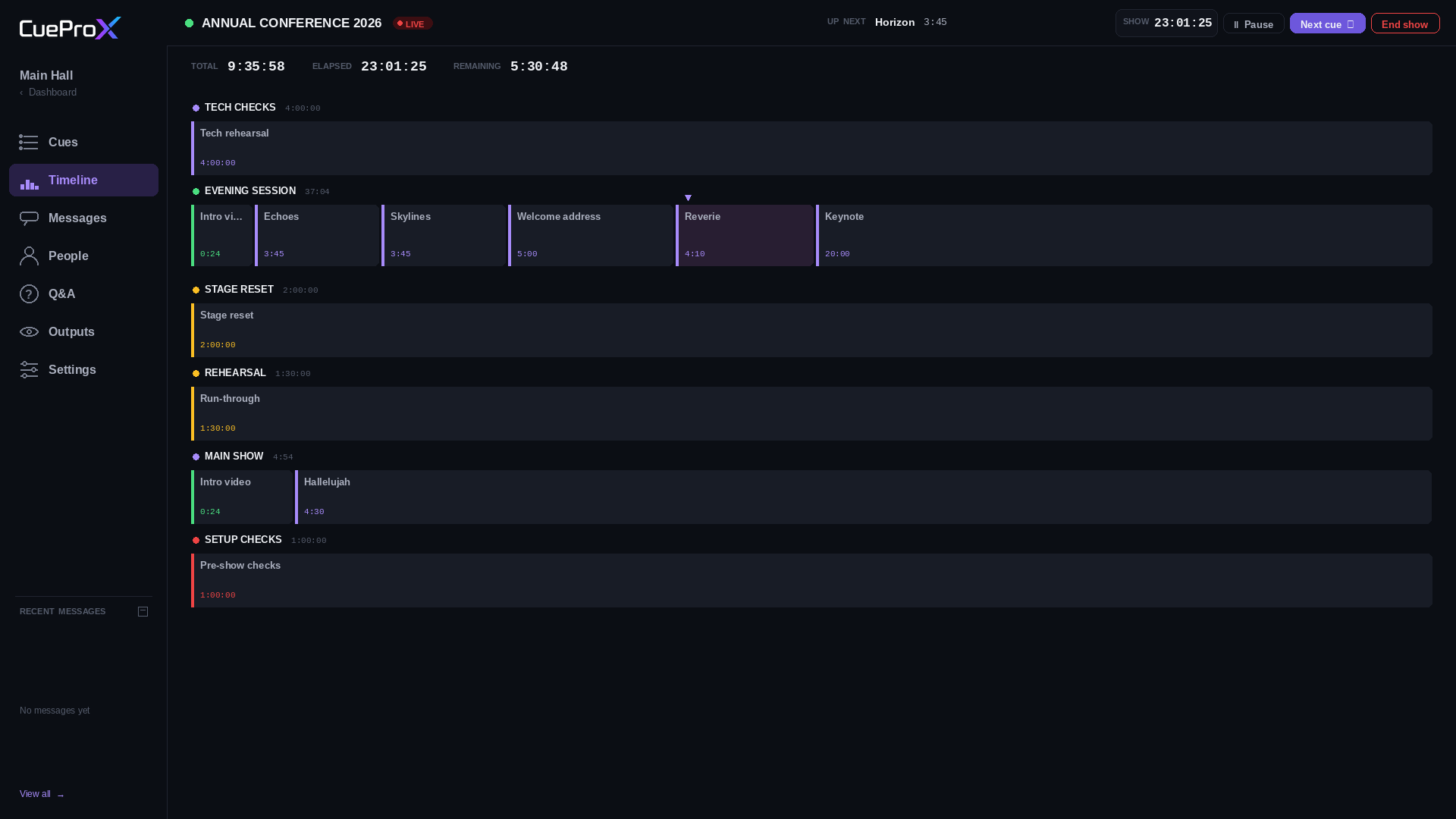
Manage multiple rooms across multiple locations. Visualize the entire timeline at a glance.
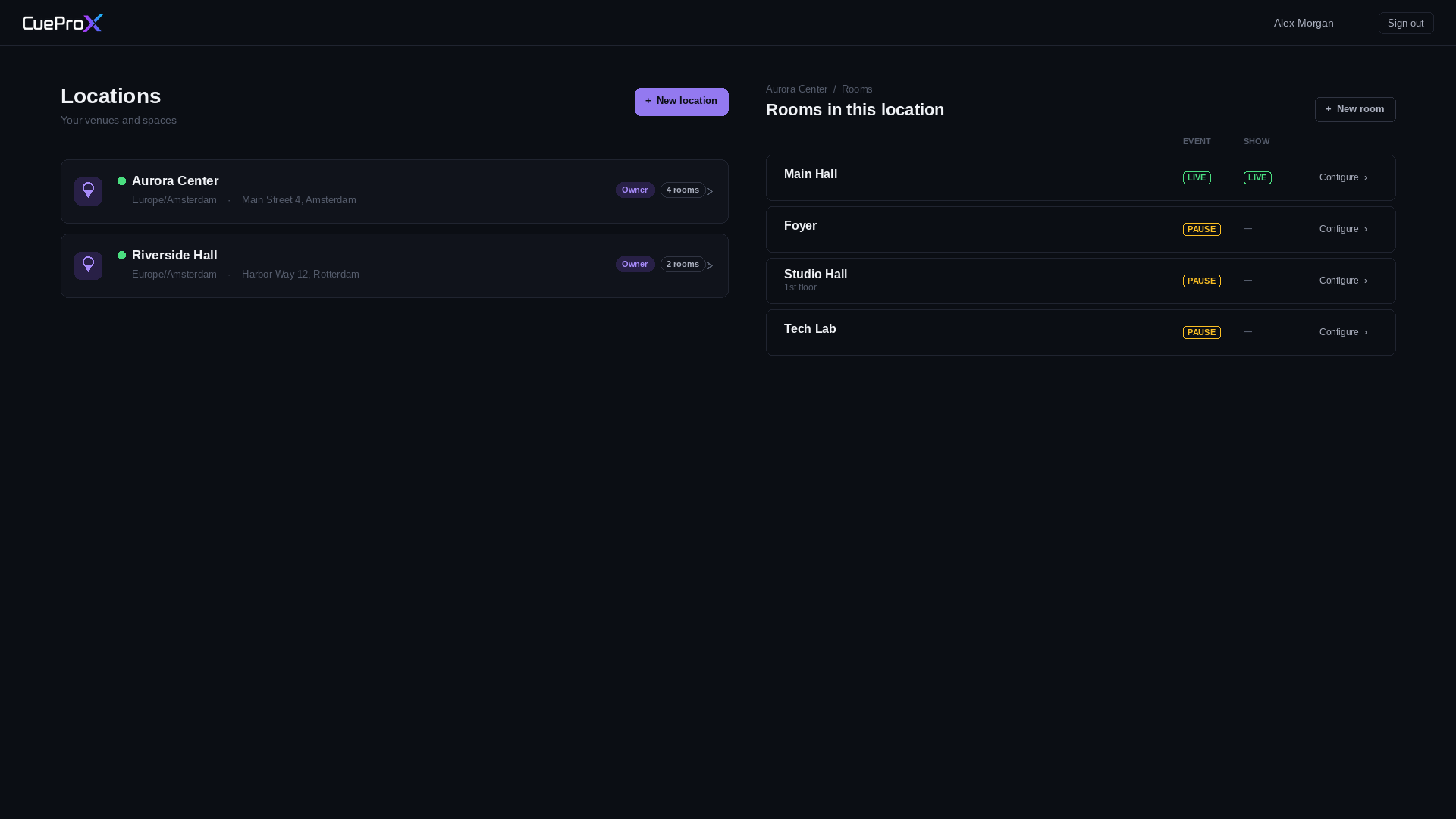
Locations and rooms Show timeline

Everything you need.

One platform. Real-time. Built for live.

Cue list

Plan every speaker, song, video, and Q&A.

Live timer

Real-time countdowns visible to every team.

Team outputs

A dedicated screen per team — Audio, Lights, Video…

Audience Q&A

Public submits via QR. You moderate. Live on screen.

Crew chat

Per-team channels. No more WhatsApp chaos.

Stage roster

Vocal & band solos that follow each cue.

Alerts

Broadcast EVAC, vocal solos, anything — to any team.

Multi-room

Run parallel rooms in the same venue.

Timeline

Visualize the whole show, scaled to duration.

Connects to everything you already use

Two-way sync with OBS, ProPresenter, ATEM, vMix, Stream Deck — and hundreds more, via Bitfocus Companion.

Director runs cues — outputs and tools follow in real time

Two-way connection Trigger received Fire Cue 5 Sync status
The bridge · installed locally

Bitfocus Companion

Free, open-source connector — links CueProX to hundreds of broadcast tools

One install, and everything talks to everything
Switch Scene 1 Streaming · Scene 1 live
Play Video 1 Video 1 · 0:24 left
Cut to Cam 1 Cam 1 live · Cam 2 prev
Switch Input 2 Input 2 live
Cue 5 trigger Set LED green

OBS Studio

Streaming & recording

ProPresenter

Lyrics & presentations

ATEM Switcher

Blackmagic video switching

vMix

Live production software

Operator input

Stream Deck

Fires any cue — controls everything

And hundreds more — Resolume, QLab, Hog 4, Pioneer DJ, Pro Tools — anything in the Bitfocus Companion ecosystem

Built for

Churches

Sunday services & special events.

Theaters

Stage productions with complex cues.

Concerts

Live music with large crew teams.

Conferences

Multi-track events with Q&A sessions.

Be first in line.

Sign up now. When CueProX launches, you'll get a free full demo.

We'll never share your data. Privacy